
PVFARM currently supports SolarAnywhere typical year files via file import. Follow the steps below to get started:
- Download a typical year file from SolarAnywhere in SolarAnywhere output format at 60-minute temporal resolution. At a minimum, include the following datasets in your file download: GHI, DHI, DNI, temperature, humidity, and wind speed.
- In any PVFARM project, navigate to the Energy section. On this page, click the Settings button.
- Next to Meteo file, select Import Typical Meteo Year Data:
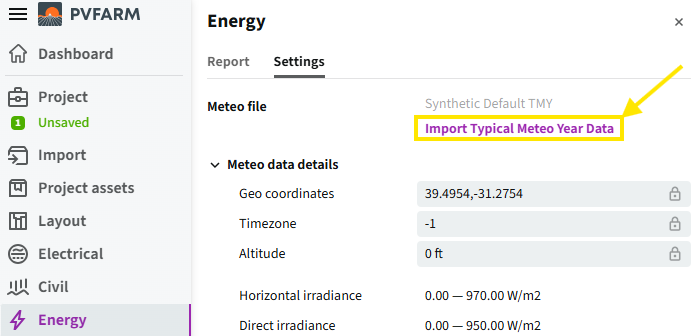
4. Select the SolarAnywhere typical year file previously downloaded, and PVFARM will automatically process the file.
If you run into an error, contact us at support@solaranywhere.com.